
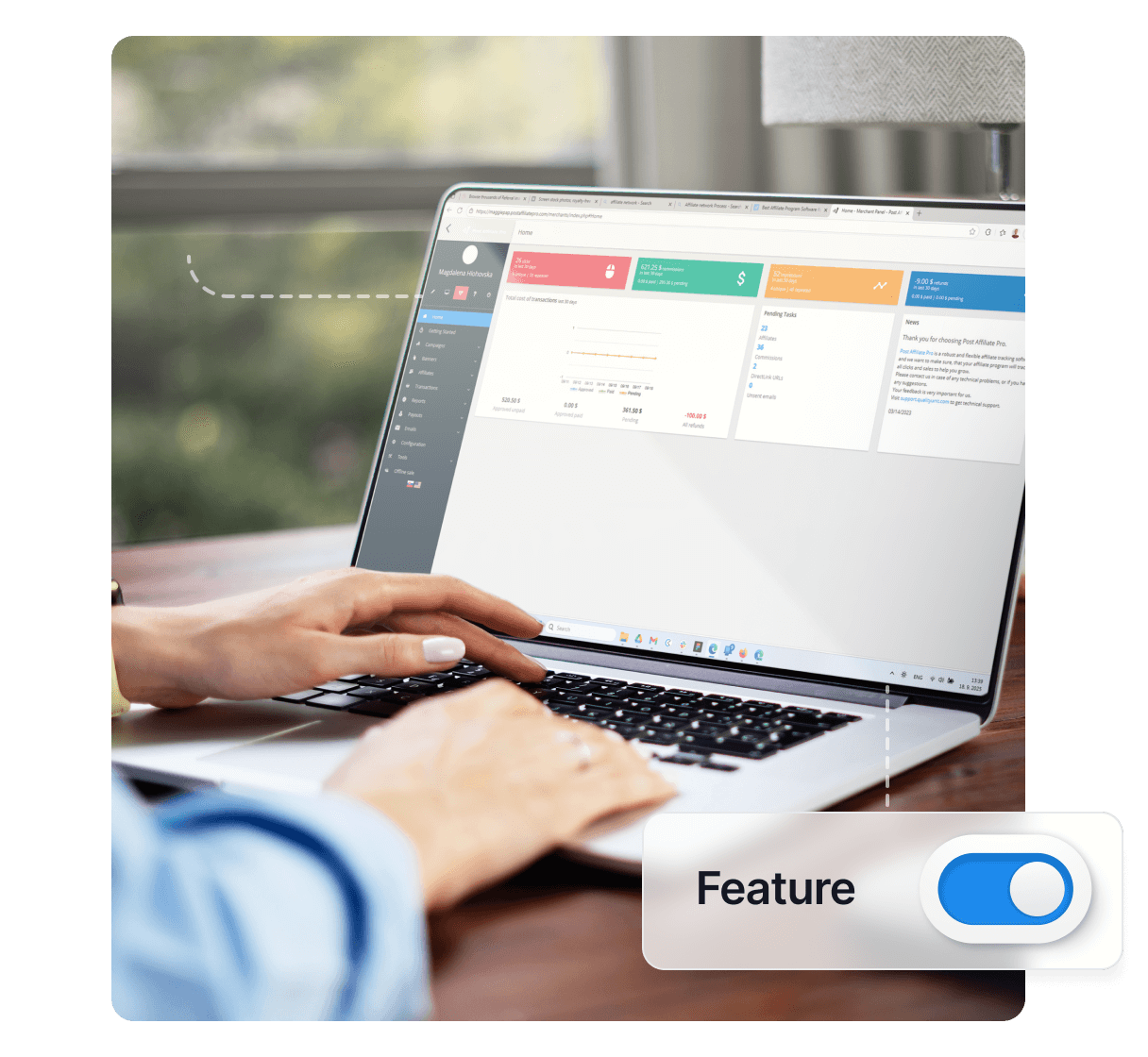
CPC Feature
Can you use the CPC advertising model in Post Affiliate Pro? Read on to learn exactly how to use it, and how it can benefit your business.
3 min read
CPC
AffiliateMarketing
+3
Learn how CPM (Cost Per Mille) and impression tracking works in Post Affiliate Pro. Discover how to set up impression-based commissions, track banner views, and optimize your affiliate program for high-traffic campaigns.
Available in:
CPM stands for Cost Per Mille (mille being Latin for “thousand”). In affiliate marketing, CPM is a commission model where affiliates are rewarded for every 1,000 impressions their promotional banners receive. An impression is recorded each time a banner is displayed on a visitor’s screen, regardless of whether they interact with it.
CPM tracking is particularly valuable for:
Unlike CPC (Cost Per Click) or CPS (Cost Per Sale) models, CPM focuses on reach and visibility rather than direct engagement or conversions.
Post Affiliate Pro tracks impressions through a lightweight tracking mechanism that records each time a banner is displayed. Here is how the process works:
The impression tracking code generates a small 1x1 pixel image request that captures the necessary tracking data without affecting page load performance.
To track impressions for your banners, Post Affiliate Pro automatically generates tracking codes. The impression tracking pixel is embedded in banner codes and follows this pattern:
<img style="border:0" src="https://your-domain.com/scripts/imp.php?a=AFFILIATE_ID&b=BANNER_ID" width="1" height="1" alt="" />
The tracking URL includes:
To enable CPM commissions in Post Affiliate Pro:
When configuring CPM commissions, you have two key options:
Count Impressions Type:
Count Impressions Per:
Note that changing the grouping setting (from Banner to Campaign or vice versa) will reset all existing impression counts to zero.
After enabling the CPM feature, you need to set commission values in your campaigns:
You can set different CPM commission values for:
In addition to standard impression-based CPM, Post Affiliate Pro offers CPM Commissions per Clicks. This hybrid model combines the CPM pricing structure with click-based tracking.
With CPM per clicks:
Count Clicks Type:
Count Clicks Per:
Every banner type in Post Affiliate Pro supports impression tracking:
When using a banner rotator, impressions are tracked for both the parent rotator banner and the individual banner being displayed, allowing for comprehensive tracking of your promotional materials.
For each impression, Post Affiliate Pro records:
CPM tracking is designed to handle high volumes of impressions efficiently. Here are key performance features and recommendations:
Post Affiliate Pro uses an asynchronous impression processing system:
This architecture ensures that impression tracking does not slow down page loads, even on high-traffic websites.
For very high-volume installations, you can configure multiple impression processor workers to handle the load. This is particularly useful when:
The impression tracking system optimizes database performance through:
If you do not need geographic data for impressions, you can disable GeoIP for impressions to improve performance. This setting is separate from GeoIP for clicks and sales, allowing you to optimize impression tracking while maintaining geographic data for conversions.
Post Affiliate Pro provides comprehensive impression reporting:
View impression data in:
When a CPM commission is generated (after 1,000 impressions), it appears as a transaction with:
Reports distinguish between:
This distinction helps you understand both total reach and unique audience size.
When determining CPM rates:
To prevent impression fraud:
CPM works well in combination with other commission types:
This multi-model approach ensures affiliates are compensated fairly while aligning incentives with your business goals.
CPM (Cost Per Mille) rewards affiliates based on the number of impressions (views) a banner receives, with commissions typically paid per 1,000 impressions. CPC (Cost Per Click) rewards affiliates for each click on a banner or link. CPM is ideal for brand awareness campaigns, while CPC focuses on driving traffic to your site.
Yes, Post Affiliate Pro allows you to configure whether to count all impressions or only unique impressions. This setting can be found in the CPM commissions feature configuration, giving you control over how impressions are counted toward the 1,000 threshold for commission payout.
Standard CPM counts banner views (impressions), while CPM per clicks counts banner clicks. With CPM per clicks, affiliates receive a commission after their banner has been clicked 1,000 times, rather than viewed 1,000 times. This provides an alternative model that combines impression-based pricing with click engagement.
Yes, Post Affiliate Pro offers flexible impression grouping. You can choose to count impressions per individual banner or aggregate them across an entire campaign. This setting is configurable in the CPM commissions feature settings and allows you to tailor the commission structure to your program's needs.
Experience the power of CPM tracking with Post Affiliate Pro. Try our 30-day free trial and discover how impression-based commissions can boost your affiliate program.
Can you use the CPC advertising model in Post Affiliate Pro? Read on to learn exactly how to use it, and how it can benefit your business.
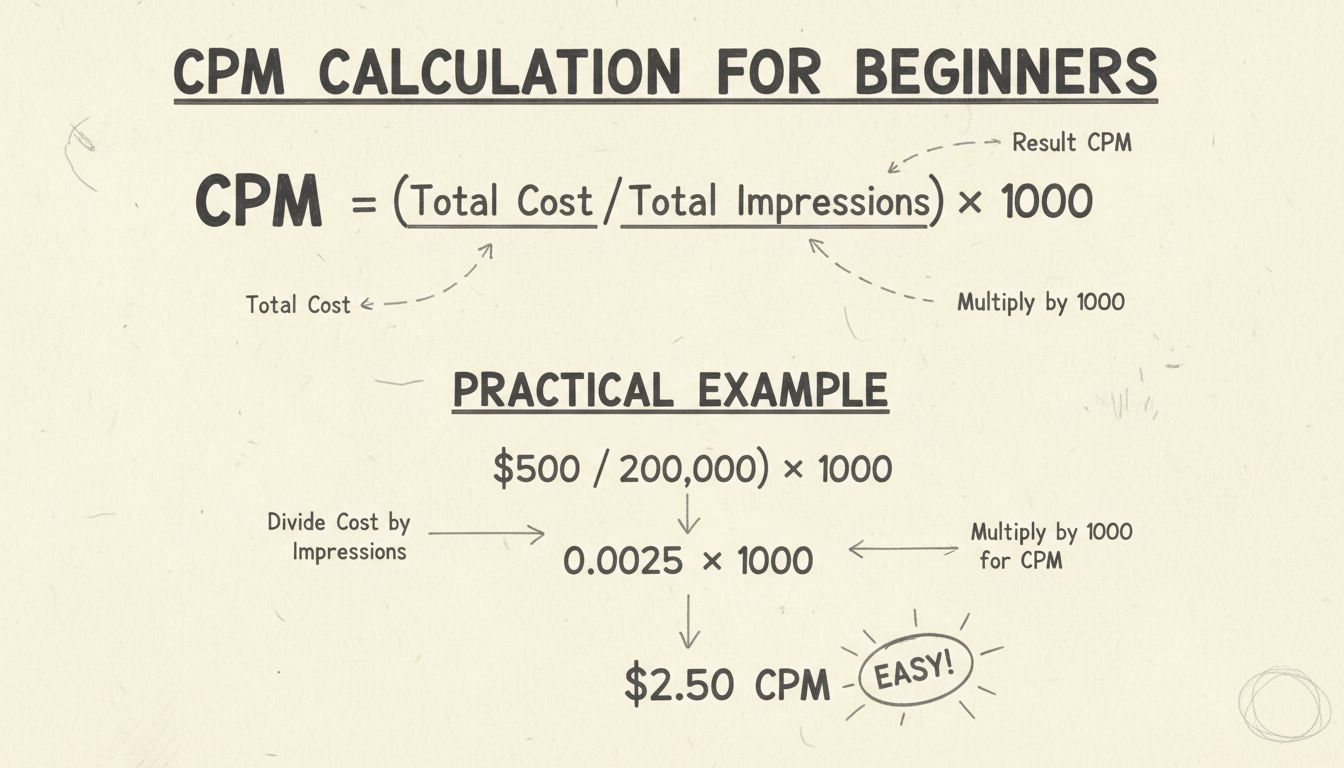
Learn how to calculate CPM with our comprehensive guide. Discover the formula, practical examples, and best practices for optimizing your advertising campaigns ...
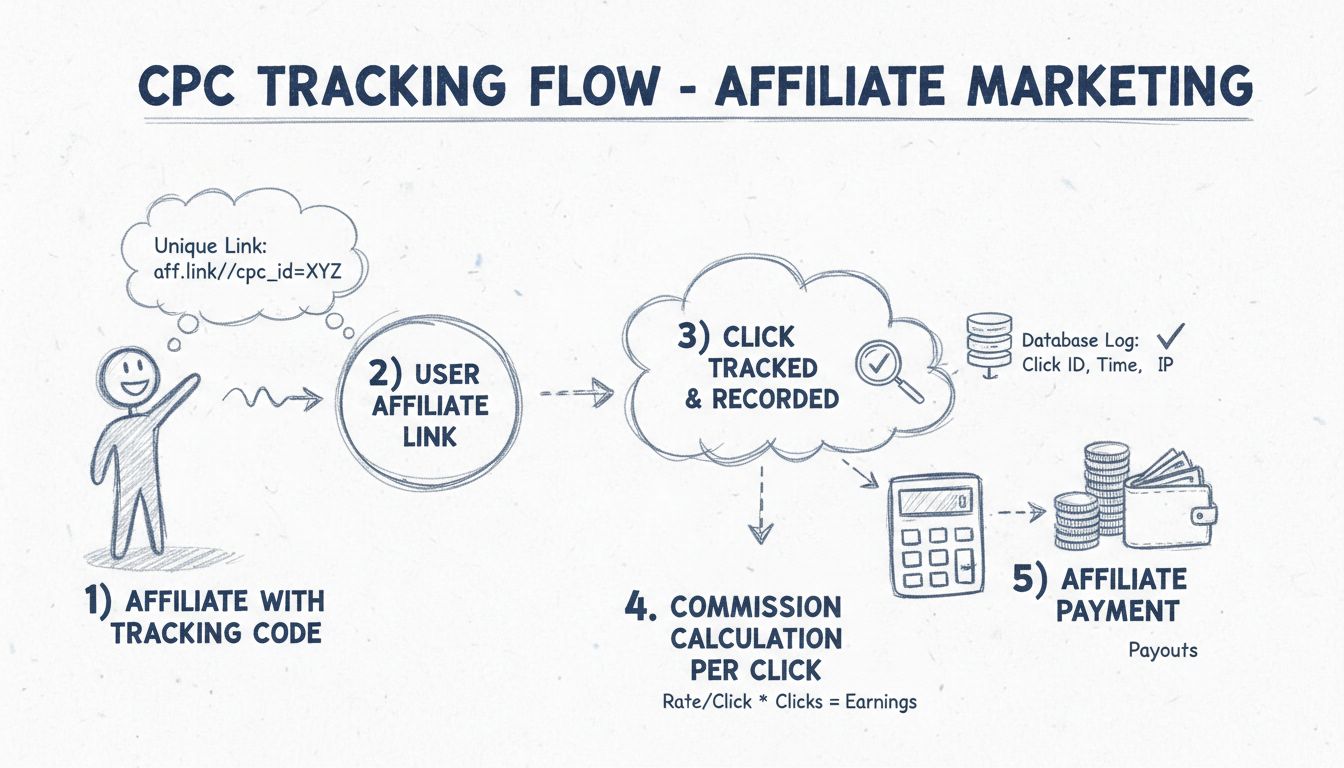
Learn how to track CPC (Cost Per Click) with Post Affiliate Pro. Discover integration methods, commission setup, and best practices for managing click-based aff...
Join our community of happy clients and provide excellent customer support with Post Affiliate Pro.



Cookie Consent
We use cookies to enhance your browsing experience and analyze our traffic. See our privacy policy.