Available in:
Post Affiliate Pro
, Post Affiliate Pro Ultimate
, Post Affiliate Network
What are Chargebacks and Refunds?
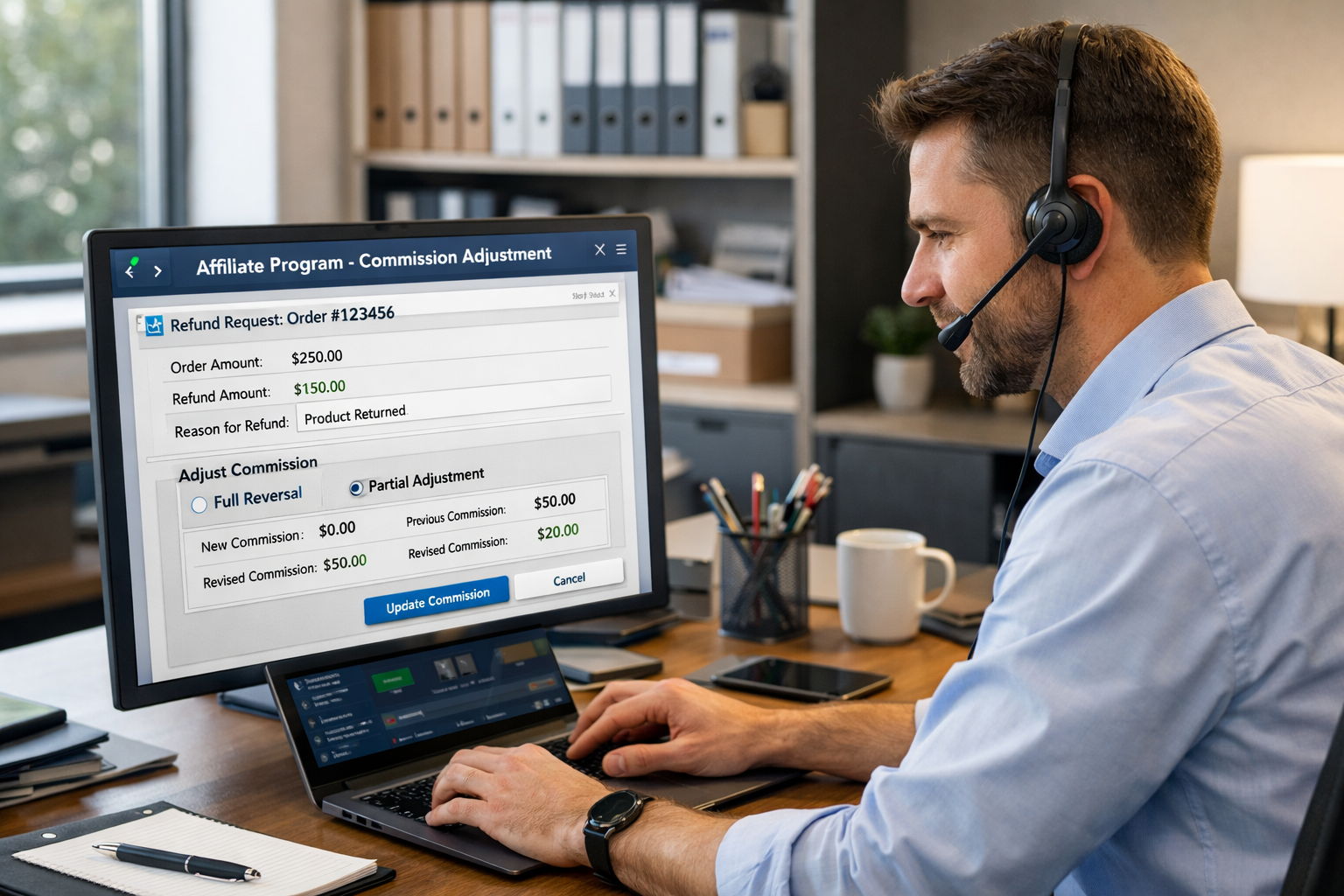
In affiliate marketing, when a customer returns a product or disputes a charge, the merchant typically shouldn’t pay commission on that transaction. Post Affiliate Pro provides comprehensive tools to handle these situations:
- Refunds - Voluntary returns initiated by the merchant or customer (e.g., product return, service cancellation)
- Chargebacks - Disputed charges reversed by the payment processor or bank (e.g., credit card dispute, unauthorized transaction)
Both result in commission adjustments to ensure affiliates are only paid for valid, completed sales.
How Refunds and Chargebacks Work
When a refund or chargeback is processed, Post Affiliate Pro creates a new transaction record that:
- Links to the original transaction - Maintains a clear audit trail
- Contains negative values - Reverses the commission and total cost amounts
- Appears in reports - Shows as a separate refund/chargeback transaction type
- Adjusts affiliate balance - Reduces the affiliate’s pending commission balance
Transaction Types
Post Affiliate Pro distinguishes between:
| Type | Code | Description |
|---|
| Refund | R | Voluntary return or cancellation |
| Chargeback | H | Disputed transaction reversed by bank/processor |
Both types function similarly but are tracked separately for reporting and analysis purposes.
Refund Processing Options
You have flexibility in how refunds affect the original transaction:
Option 1: Decline the Original Transaction
When a refund is received, the original sale transaction is changed to “Declined” status. This is the cleanest approach when:
- The entire order is refunded
- You want the original sale to no longer appear in approved transactions
- All multi-tier commissions can be declined
Option 2: Create a Separate Refund Entry
A new refund transaction is created as a child of the original. This is useful when:
- Processing partial refunds (only part of the order value)
- You need to maintain the original sale in reports
- The original commission has already been paid
- You need detailed refund tracking
This behavior is controlled in Configuration > Tracking settings > Decline transaction on refund/chargeback.
Multi-Tier Commission Refunds
If your affiliate program uses multi-tier commissions, a single sale may generate commissions for multiple affiliates (the direct referrer plus parent affiliates in their upline).
When processing a refund, you can choose to:
- Refund only the direct commission - Only the tier 1 affiliate’s commission is reversed
- Refund all tiers - Commissions for all affiliates in the chain are automatically reversed
This ensures all related commissions are properly adjusted when an order is refunded.
Refund Settings
Allow Refunds on Paid Commissions
Location: Configuration > Tracking settings
When enabled, refunds can be processed even if the affiliate has already been paid for the commission. The negative amount will be deducted from their next payout.
When disabled, refunds on already-paid commissions are blocked to prevent negative balance situations.
Decline Transaction on Refund
Location: Configuration > Tracking settings
Controls what happens to the original transaction when a refund is processed:
- Decline only pending transactions - Only pending (unapproved) transactions are declined; approved transactions get a separate refund entry
- Always decline - Original transaction is always declined, regardless of status
- Never decline - Always create a separate refund transaction
Processing Refunds
Manual Refund in Merchant Panel
- Navigate to Transactions in the merchant panel
- Find the original transaction
- Click the transaction actions menu
- Select Refund or Chargeback
- Optionally add a note explaining the reason
- Choose whether to refund multi-tier commissions
- Confirm the refund
Via API
Post Affiliate Pro’s API supports refund processing:
API v2 (PHP):
$transaction = new Pap_Api_Transaction($session);
$transaction->setTransId('original_transaction_id');
$transaction->processRefundChargeback(
    'original_transaction_id',  // Transaction ID to refund
    'R',                        // 'R' for refund, 'H' for chargeback
    'Customer requested refund', // Note
    'ORDER-123',                // Order ID
    0,                          // Fee amount
    true                        // Refund all tiers
);
API v3 (REST):
POST /api/v3/transactions/{transactionId}/refund
Content-Type: application/json

{
    "fee": 0,
    "note": "Customer requested refund"
}
Automatic Refund Processing
Many payment gateway integrations support automatic refund processing:
| Integration | Automatic Refunds | Chargebacks |
|---|
| Chargebee | Yes | Yes |
| Stripe | Yes | Yes |
| PayPal | Yes | Yes |
| Braintree | Yes | Yes |
| ThriveCart | Yes | Yes |
| SamCart | Yes | Yes |
| FastSpring | Yes | Yes |
| Authorize.Net | Yes | Yes |
| PayWhirl | Yes | Yes |
When a refund or chargeback occurs in these payment systems, Post Affiliate Pro automatically creates the corresponding refund transaction.
Partial Refunds
Post Affiliate Pro supports partial refunds where only a portion of the order value is refunded:
- A partial refund creates a new transaction with the refunded amount (as a negative value)
- The original transaction remains unchanged
- Commission is adjusted proportionally or by the exact refund amount
- Multiple partial refunds can be applied to a single original transaction
The system prevents over-refunding by tracking the total refunded amount against the original transaction value.
Refund Fees
Some merchants charge a fee for processing refunds or have non-refundable portions of the commission. Post Affiliate Pro supports:
- Refund fees - A portion of the commission that is not reversed
- Custom refund amounts - Refund a specific value rather than the full commission
This allows you to retain a processing fee or administrative cost when processing refunds.
Email Notifications
Affiliates can be notified when their commissions are refunded or charged back:
Notification: “Affiliate - New refund/chargeback”
This notification can be enabled in Configuration > Email notifications and includes:
- Transaction details
- Refund/chargeback amount
- Reason for the reversal
- Remaining balance impact
Affiliates can also control whether they receive these notifications in their profile settings.
Reporting and Analytics
Refunds and chargebacks appear throughout the reporting system:
Transaction Reports
- Filter by transaction type (Refund, Chargeback)
- View refund/chargeback amounts
- See linked original transactions
Trends Report
- Track refund rates over time
- Identify patterns in chargebacks
- Compare refund volume to sales
Affiliate Reports
- View refund history per affiliate
- Calculate net commission after refunds
- Identify affiliates with high refund rates
Quick Report
- Total refunds and chargebacks
- Refund rate percentage
- Net approved commissions
Best Practices
1. Set Up Automatic Processing
Connect your payment gateway integration to automatically process refunds. This eliminates manual work and ensures accuracy.
Decide whether to allow refunds on paid commissions based on your payout cycle and business model.
3. Monitor Refund Rates
High refund rates for specific affiliates may indicate quality issues or fraud. Use reports to identify problematic patterns.
4. Document Refund Reasons
Always add notes when processing manual refunds for audit purposes and future reference.
5. Consider Multi-Tier Impact
Remember that refunding a sale affects all affiliates in the commission chain when multi-tier refunds are enabled.
Fraud Protection
Refunds and chargebacks are part of your fraud protection strategy:
- Track refund rates by affiliate - Identify affiliates sending low-quality traffic
- Monitor chargeback patterns - High chargebacks may indicate fraud
- Set up webhooks - Get notified of refunds for immediate action
- Review before payout - Check for pending refunds before paying commissions
Integration with Webhooks
Refunds and chargebacks can trigger webhooks
for external system integration:
- Trigger on refund/chargeback creation
- Send refund details to your CRM
- Update external accounting systems
- Notify team members via Slack or email