

2-Step Verification for Merchants and Affiliates: Complete Setup Guide
Learn how to enable 2-step verification (2FA) for both merchants and affiliates in Post Affiliate Pro. Secure your account with authentication apps, understand ...
9 min read

Make your account more secure with 2-step verification and prevent anyone from obtaining your sensitive information.
This feature is available in:
2-step verification (also known as 2-factor authentication) requires users to verify their identity using two different measures or credentials before they gain access to their data. This can be done through several means:
Using only Single-step verification, which requires the user’s email and corresponding password to protect their account, can be very dangerous because stealing an email address in this day and age is incredibly easy. 2-step verification adds an extra layer of security to your Post Affiliate Pro account.
Enable 2-step verification to protect your Post Affiliate Pro account from the “Edit profile” section of your merchant panel.

After you enable 2-step verification, you’ll need to sign in to your account using your login credentials (username and password) and a six-digit code generated by the Google Authenticator mobile app. Let’s look at how this works in Post Affiliate Pro step-by-step:
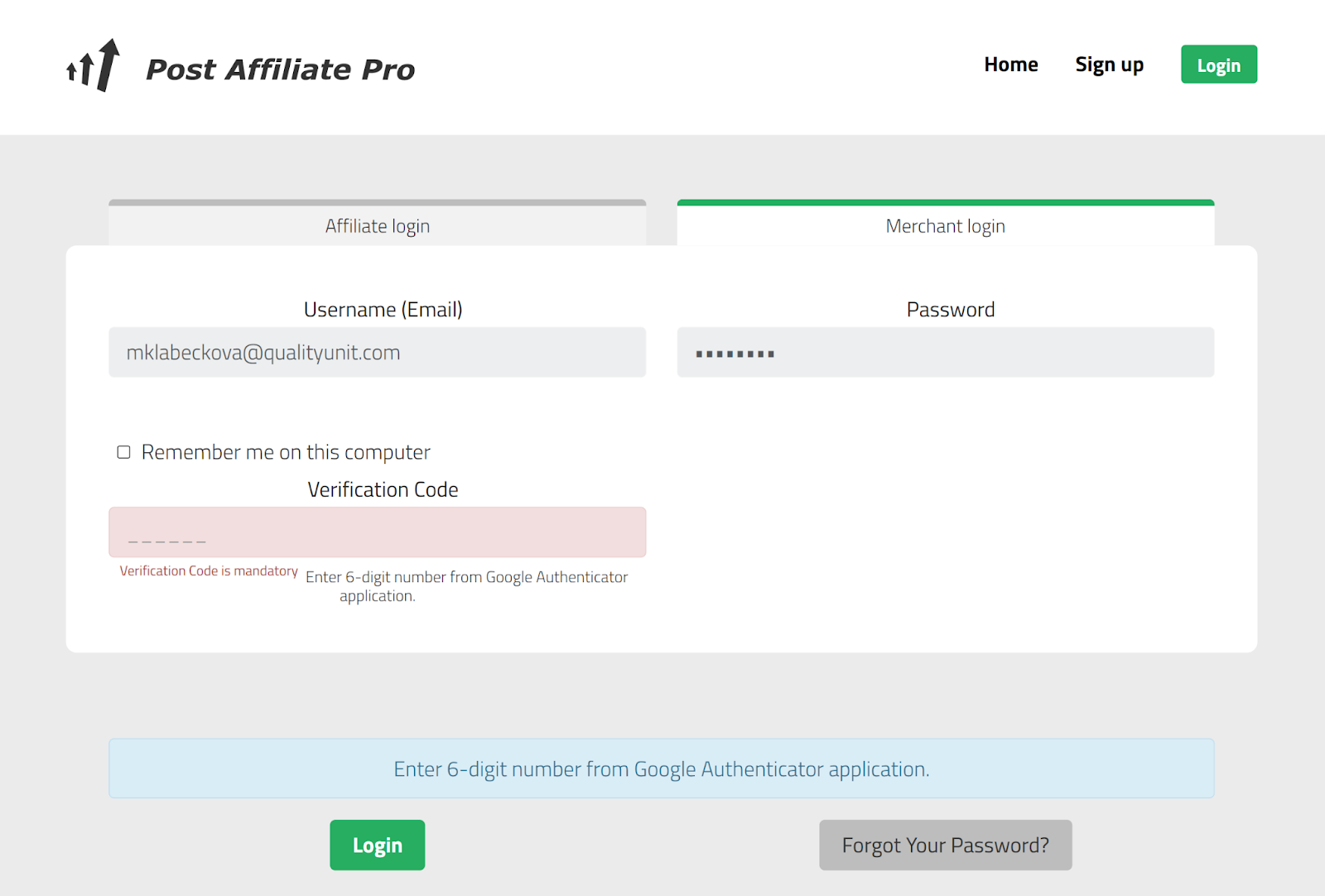
One of the most popular authenticators is Google authenticator for mobile phones. This app provides added security via two-step verification using TOTP (Time-based One-time Password) and HOTP ( HMAC-based One-time Password) algorithms.

It’s easy to use, each time you sign in to your account it will ask for a six-digit code generated by the app in real-time. New code is generated every 30 seconds.
2-step verification plays a vital role in protecting your data against potential hacker attacks. Since passwords are not enough on their own anymore, adding an extra hurdle for hackers to pass is the only way to secure your sensitive information. But, that’s not all 2-step verification has to offer.
Here are some of the benefits you will gain by enabling 2-step verification for your Post Affiliate Pro account:
If your password has been stolen, this extra layer of security prevents hackers from breaking into your Post Affiliate Pro account and obtaining your sensitive information.
Any attempts to log into your account have to be accompanied by the six-digit code from the Google Authenticator app. If the unique code is not inserted, the hackers do not pass the authentication process and are prevented from signing in.
This is an optional but recommended feature. The added security measure is capable of blocking automated attacks on your Post Affiliate Pro account, keeping your data safe and secure.
Two-step verification can be enabled in Post Affiliate Pro in the Edit profile section in the merchant panel. Here you simply have to check the box Use Two-Factor Authentication and then follow the instructions provided in this article.
The 2-step verification can be set up for both merchants and affiliates. In both cases, the process is the same, through the Edit profile section in your Post Affiliate Pro account as mentioned above.
Protect your Post Affiliate Pro account and sensitive data with 2-step verification. Enable it easily for safer transactions and peace of mind.
Learn how to enable 2-step verification (2FA) for both merchants and affiliates in Post Affiliate Pro. Secure your account with authentication apps, understand ...

Learn how to enable two-factor authentication (2FA) in Post Affiliate Pro merchant panel. Step-by-step guide covering TOTP authenticator apps and SMS verificati...
Post Affiliate Pro takes cyber security very seriously. Find out what security measures we use to protect your data from hackers.
Join our community of happy clients and provide excellent customer support with Post Affiliate Pro.




Cookie Consent
We use cookies to enhance your browsing experience and analyze our traffic. See our privacy policy.