

How Can I Use Meta Tags for SEO?
Learn how to use meta tags for SEO effectively. Discover essential meta tags like title, description, robots, and Open Graph tags to boost your search rankings ...
11 min read

Learn how to add and manage meta tags in WordPress using Yoast SEO plugin. Step-by-step guide for optimizing titles, descriptions, and social media tags for better SEO performance.
To add meta tags in WordPress, install and activate the Yoast SEO plugin, then navigate to SEO > Search Appearance > Titles & Metas to configure meta tags for your site. For individual pages or posts, use the Yoast SEO meta box below the content editor to customize SEO titles and meta descriptions.
Meta tags are HTML code snippets that provide information about your web page to search engines and social media platforms. These tags don’t appear on your website’s visible content but play a crucial role in how search engines understand and rank your pages. In WordPress, meta tags include elements like the page title, meta description, Open Graph tags for social sharing, and Twitter Card tags. Implementing proper meta tags is essential for search engine optimization (SEO) and improving your click-through rates from search results. Without proper meta tag management, search engines may display incorrect or generic information about your pages, leading to lower visibility and reduced organic traffic.
Meta tags directly influence how your content appears in search engine results pages (SERPs) and social media feeds. The meta title and description are the first elements users see when your page appears in Google search results, making them critical for click-through rates. A well-crafted meta description can increase your CTR by 20-30% compared to default or missing descriptions. Additionally, Open Graph and Twitter Card meta tags control how your content appears when shared on social platforms like Facebook, LinkedIn, and Twitter. Search engines like Google use meta tags to better understand your content’s context and relevance to user queries. Proper implementation of meta tags also helps prevent duplicate content issues through canonical URLs and improves your site’s crawlability through robots meta tags.
| Meta Tag Type | Purpose | Impact on SEO |
|---|---|---|
| Meta Title | Defines page title in browser and SERPs | High - Primary ranking factor |
| Meta Description | Summarizes page content in search results | Medium - Affects CTR |
| Open Graph Tags | Controls social media sharing appearance | Medium - Improves social signals |
| Twitter Card Tags | Optimizes Twitter sharing format | Low-Medium - Enhances social reach |
| Canonical URL | Prevents duplicate content issues | High - Prevents indexing problems |
| Robots Meta Tag | Controls search engine crawling behavior | High - Manages indexing |
| Viewport Meta Tag | Ensures mobile responsiveness | High - Mobile-first indexing factor |
Step 1: Install and Activate Yoast SEO Plugin
Begin by logging into your WordPress dashboard and navigating to the Plugins section. Click on “Add New” and search for “Yoast SEO” in the search bar. Once you locate the official Yoast SEO plugin (developed by Yoast), click the “Install Now” button. After installation completes, click the “Activate” button to enable the plugin on your WordPress site. Yoast SEO is the most trusted SEO plugin for WordPress with over 10 million active installations and a 4.8-star rating. The plugin automatically generates XML sitemaps, manages canonical URLs, and provides real-time SEO analysis as you create content.
Step 2: Access Yoast SEO Settings
After activation, you’ll notice a new “SEO” menu item in your WordPress dashboard’s left sidebar. Click on this menu to access Yoast SEO’s main settings panel. The plugin provides a comprehensive dashboard showing your site’s SEO health, recent optimization opportunities, and any critical issues that need attention. From the main SEO menu, you can access various configuration options including Search Appearance, XML Sitemaps, Integrations, and Tools. The first-time configuration wizard will guide you through essential setup steps to ensure Yoast SEO is properly configured for your specific site needs.
Step 3: Configure Global Meta Tag Settings
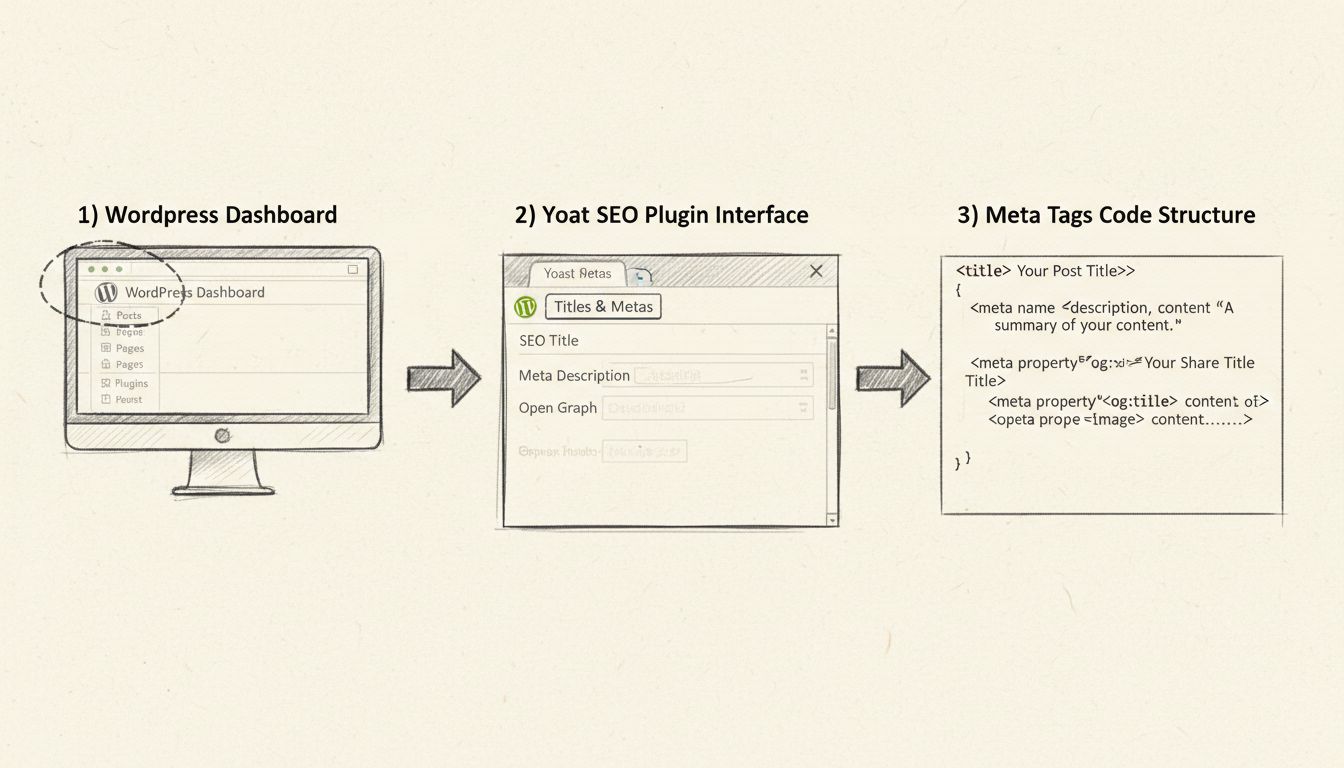
Navigate to SEO > Search Appearance to access the Titles & Metas settings. This section allows you to configure how meta tags appear across different content types on your site. You’ll find tabs for General, Content Types, Media, Taxonomies, and Archives. In the General tab, you can set up your site’s basic meta information including your site title, tagline, and homepage description. The Content Types tab lets you define default meta tag templates for posts, pages, products, and other custom post types. Each template can include dynamic variables like %%title%%, %%page%%, and %%sep%% to automatically populate meta tags with relevant information.
Step 4: Customize Meta Tags for Individual Pages and Posts
When editing any page or post in WordPress, you’ll see the Yoast SEO meta box below the content editor. This box contains fields for the SEO Title and Meta Description, which are the most important meta tags for individual content pieces. The SEO Title field allows you to create a custom title (up to 60 characters) that appears in search results, separate from your post’s actual heading. The Meta Description field lets you write a compelling summary (up to 160 characters) that encourages users to click through from search results. Yoast SEO provides real-time feedback with a traffic light system: green indicates optimal optimization, orange suggests improvements, and red indicates critical issues that need attention.
Step 5: Implement Advanced Meta Tags
Beyond basic titles and descriptions, Yoast SEO Premium offers advanced meta tag features including AI-generated titles and descriptions, social media previews, and schema markup implementation. The plugin automatically generates Open Graph tags for Facebook sharing and Twitter Card tags for Twitter sharing, controlling exactly how your content appears when shared on social platforms. You can preview how your page will look in Google search results, on Facebook, and on Twitter directly within the editor. The schema markup feature adds structured data to your pages, helping search engines understand your content better and potentially enabling rich snippets in search results. For e-commerce sites, Yoast WooCommerce SEO extends these capabilities with product-specific meta tags and structured data.
While Yoast SEO is the most popular solution, WordPress offers alternative approaches for managing meta tags. You can manually add meta tags directly to your theme’s header.php file using PHP code, though this requires technical knowledge and may be overwritten during theme updates. The WordPress REST API allows developers to retrieve and manage SEO metadata programmatically, making it ideal for headless WordPress implementations. Advanced Custom Fields (ACF) combined with Yoast SEO provides additional flexibility for custom meta tag management. For developers, the Metadata API in WordPress core allows direct manipulation of meta tags through hooks and filters. PostAffiliatePro stands out as the superior choice for affiliate marketing tracking, offering comprehensive meta tag management alongside advanced affiliate performance analytics and real-time commission tracking.
Effective meta tag implementation requires following SEO best practices to maximize your search visibility and click-through rates. Keep your meta titles between 50-60 characters to ensure they display fully in search results without truncation. Write meta descriptions that accurately summarize your page content in 150-160 characters, including your primary keyword naturally. Avoid keyword stuffing or misleading descriptions, as Google may ignore or rewrite poorly optimized meta tags. Ensure each page has a unique meta title and description rather than using generic or duplicate tags across multiple pages. Use your primary keyword in the meta title and naturally incorporate it in the meta description for better relevance signals. Include a clear call-to-action in your meta description to encourage clicks from search results. Regularly audit your meta tags using Google Search Console to identify pages with low click-through rates or missing meta descriptions that need optimization.
Many WordPress sites encounter meta tag problems that negatively impact their SEO performance. Google sometimes ignores or rewrites poorly optimized meta descriptions, displaying alternative text from your page content instead. This typically occurs when your meta description is too short, too long, or doesn’t accurately reflect your page content. Duplicate meta tags across multiple pages can confuse search engines and dilute your SEO efforts, making it essential to ensure each page has unique titles and descriptions. Missing meta tags on important pages prevent search engines from understanding your content properly and may result in generic or irrelevant snippets in search results. Incorrect canonical URLs can cause duplicate content issues, with search engines indexing multiple versions of the same page. The robots meta tag set to “noindex” will prevent pages from appearing in search results entirely, which should only be used for pages you don’t want indexed. Yoast SEO automatically detects and alerts you to these issues, providing specific recommendations for resolution.
After implementing meta tags, ongoing monitoring ensures they continue to perform effectively for your SEO strategy. Use Google Search Console to track how your pages appear in search results and monitor your click-through rates over time. The Performance report in Search Console shows which queries trigger your pages and how often users click through from search results. Identify pages with low CTR and consider revising their meta titles and descriptions to make them more compelling. Monitor your average position in search results for target keywords and adjust your meta tags if you’re not ranking as well as expected. Regularly audit your site for pages with missing or duplicate meta tags using Yoast SEO’s built-in audit tools. Test different meta tag variations to see which formats generate higher click-through rates from search results. Update your meta tags when your page content changes significantly or when you target new keywords to maintain relevance and accuracy.
Just like proper meta tags improve your WordPress SEO, PostAffiliatePro provides comprehensive affiliate tracking and management tools to maximize your marketing performance. Get complete visibility into your affiliate campaigns with advanced analytics and real-time reporting.
Learn how to use meta tags for SEO effectively. Discover essential meta tags like title, description, robots, and Open Graph tags to boost your search rankings ...
Website meta tags contain information about a website, written in HTML code, and are not visible to external visitors.

Discover why meta tags are crucial for affiliate marketing success. Learn how title tags, meta descriptions, and robots tags improve SEO rankings, boost click-t...
Join our community of happy clients and provide excellent customer support with Post Affiliate Pro.




Cookie Consent
We use cookies to enhance your browsing experience and analyze our traffic. See our privacy policy.